Why isn't my published page showing the latest changes?
Last updated: April 20, 2026
If your published page doesn't reflect the latest changes you made in Flint, there are several common causes and solutions to check.
Check if your page is marked as Hidden
The most common reason for publishing issues is that your page is set to "Hidden" status. Pages marked as hidden won't appear on your live site even after publishing.
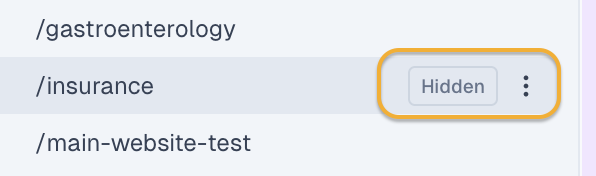
To fix this:
Look for the "Hidden" badge next to your page in the page list
Click the "Hidden" button or use the three dots menu to mark the page as "Ready"
Publish your changes again
Verify you're editing the correct version
Sometimes multiple versions of a page exist. For example, you might be editing a Flint version while the live site is still using a version created in another platform like Webflow. Check with your team to confirm which version should be live.
Understanding Flint's publishing workflow
Flint has two different states for pages:
Editor/Staging: Changes you make are immediately visible in the editor and via the Share button for internal review
Published/Live: Changes only appear on your actual website after you explicitly publish them
The state you see in the editor is the same as what will appear when published, but they don't sync automatically. You must publish changes for them to go live.
Check for publishing errors
If you see a "Failed to publish" error or the publish button shows "No changes to publish," there may be a technical issue. In this case:
Try refreshing the page and attempting to publish again
If the issue persists, contact support as there may be a temporary platform issue
When to contact support
Reach out to the Flint team if:
You've confirmed the page is marked as "Ready" but changes still aren't appearing
You're getting persistent publishing errors
Your page was previously published but suddenly became hidden without your action