Troubleshooting visual changes not appearing in the page editor
Last updated: April 20, 2026
If you're making changes to your page but they're not appearing in the editor, there are several troubleshooting steps you can try to resolve this issue.
Try restarting the sandbox
The most common solution is to restart your sandbox, which resets the page viewer and updates it with the latest changes:
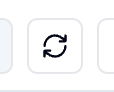
Right-click the reload button in the top right section of the editor page
Click "Restart Sandbox" from the dropdown menu
Simple browser refresh
Sometimes a simple browser refresh can resolve display issues. Try refreshing your browser page to see if the changes appear.
Log out and log back in
If the above steps don't work, try logging out of your account completely and then logging back in. This can help reset your session and display the most current version of your page.
When to contact support
If you've tried all the above steps and your changes still aren't appearing, contact support immediately. This could indicate a more complex issue that requires technical assistance. When reaching out, include:
The specific page you're working on
What changes you're trying to make
Screenshots of the issue if possible
These display issues can sometimes occur when the sandbox gets into a broken state, but the troubleshooting steps above resolve the problem in most cases.